
System-Wide Tor VPN for Windows with Wintun & a Fail-Closed WFP Kill Switch
Aurelia routes the entire Windows network stack through the Tor network. A Wintun Layer-3 adapter captures system-wide traffic, MapDNS keeps DNS queries away from your ISP, and strict Windows Filtering Platform (WFP) kernel filters block everything that is not tunneled. Native C11 and open source on GitHub under AGPL-3.0.
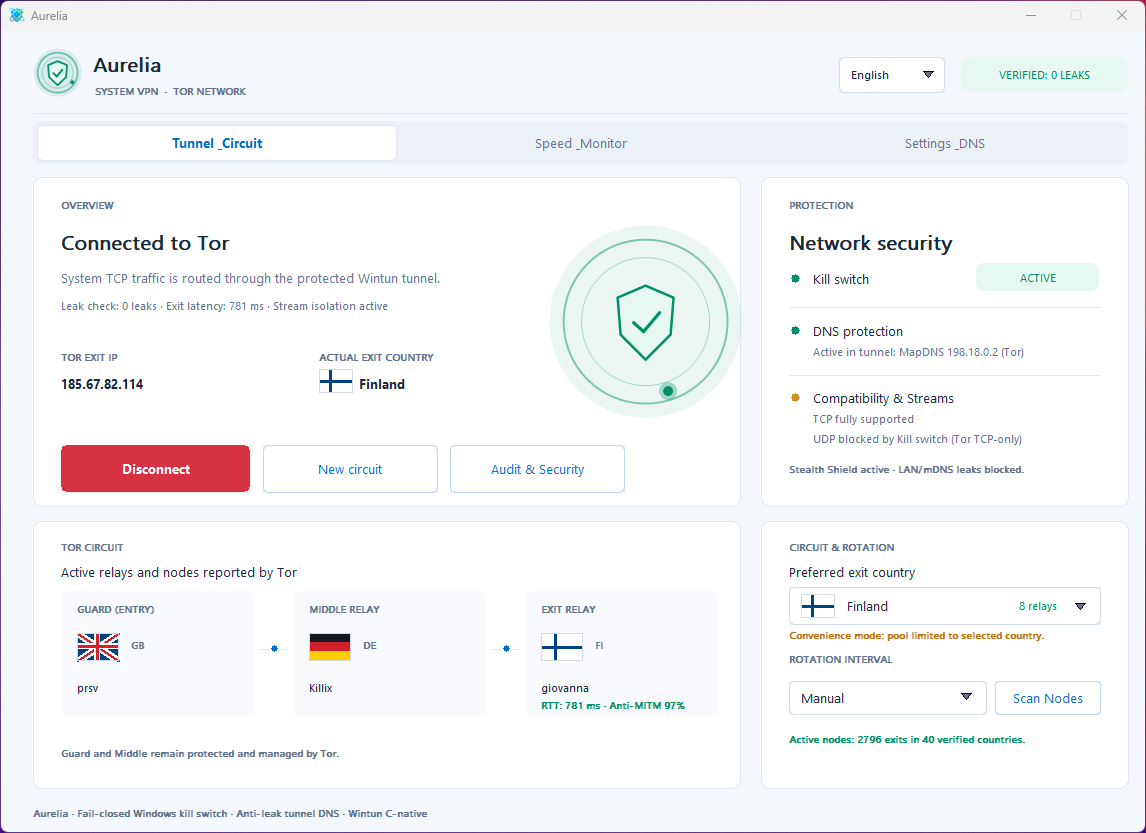
From Application to Tor Circuit in 3 Direct Steps
Aurelia does not depend on a user-space SOCKS setting or on routing table priority alone. Every packet follows the same path, and the kernel firewall decides what is allowed to leave the machine.
- 1
Capture Traffic at Layer 3
Browsers, terminals and scripts send standard IP traffic into the Wintun virtual adapter (IPv4
198.18.0.1, MTU 1500). No per-application proxy configuration is required. - 2
Resolve Names and Forward Through Tor
The hev-socks5-tunnel engine (async lwIP TCP stack) runs the MapDNS server on
198.18.0.2:53and passes connections over SOCKS5 loopback to the embeddedtor.exeon127.0.0.1:9050. Traffic then crosses a three-hop Tor circuit: Guard, Middle, Exit. - 3
Enforce Fail-Closed Rules in the Kernel
Windows Filtering Platform filters allow only loopback and the outbound traffic of
tor.exeto its entry relays, and block all other non-tunneled IPv4 and IPv6 traffic.
Apps (browsers, terminal, scripts)
        |  IP traffic
        v
Wintun Virtual Adapter (L3)         IPv4 198.18.0.1 / MTU 1500
        |
        v
hev-socks5-tunnel                   async lwIP TCP stack
                                    MapDNS server 198.18.0.2:53
        |  SOCKS5 loopback
        v
tor.exe (embedded)                  SOCKS5 127.0.0.1:9050
                                    Auxiliary port 127.0.0.1:9052
        |
        v  WFP fail-closed filters (kernel boundary)
Internet -> Guard -> Middle -> Exit -> Destination
Why Tor on Windows Usually Leaks
Tor on Windows is typically confined to the Tor Browser boundary. Attempts to route a whole Windows system through Tor usually rely on user-space SOCKS proxies or fragile routing table changes, and these approaches suffer from four structural problems.
DNS Leaks
Applications resolve domains directly against local ISP gateways or IPv6 endpoints instead of going through the proxy.
Correlation Risks
All applications share identical circuits and exit nodes.
Fail-Open Windows
Network roaming, DHCP renewals or a Tor crash can expose the real IP address before firewall rules can react.
I/O Degradation
Tor constantly reads and writes consensus documents to solid-state disks.
Aurelia addresses these limits with a native C11 architecture that combines the Wintun Layer-3 TUN adapter, strict WFP kernel callouts, internal MapDNS resolution and a memory-backed consensus pipeline.
Fail-Closed Windows Filtering Platform Kill Switch
At connection time Aurelia injects persistent filters into the Windows Filtering Platform at the kernel sublayer, with a default-drop policy and a narrow whitelist.
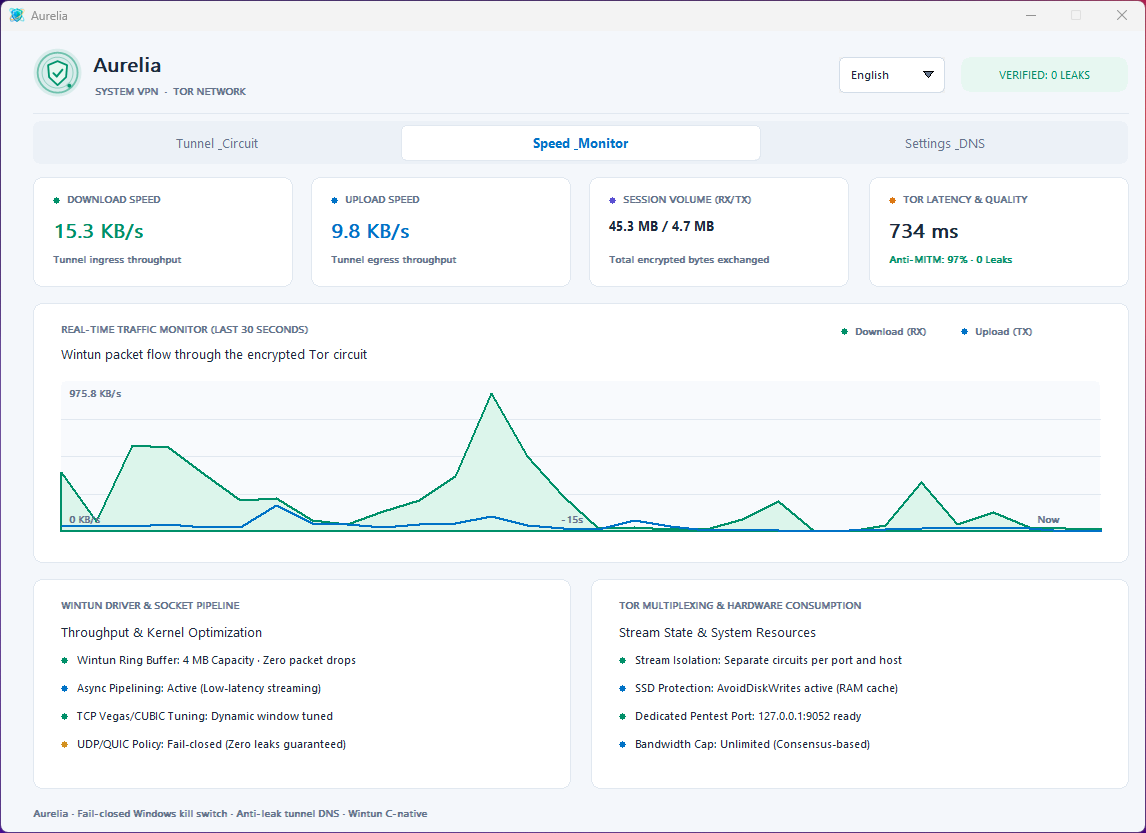
| WFP Rule | Behavior |
|---|---|
| Sublayer Priority | Weight 15, fail-closed enforcement |
| Permit: Loopback | Localhost loopback for Tor control and SOCKS5 |
| Permit: Tor Process | Outbound traffic from tor.exe to validated entry relays |
| Block: Non-Tunneled Traffic | All non-tunneled IPv4 and IPv6 traffic |
| Block: Unmapped UDP/QUIC | Forces a graceful TCP fallback |
Default Drop
An absolute block rule is registered for all outbound IPv4 and IPv6 traffic.
Selective Whitelist
Only packets generated by tor.exe and destined for validated entry guards, plus internal loopback (127.0.0.1), are permitted.
Fail-Closed Safety
After a software crash, a cable disconnection or a Wi-Fi roaming event, no unencrypted frame can escape the host machine.
MapDNS: DNS Resolution That Never Touches Your ISP
To stop DNS queries from bypassing the proxy, Aurelia intercepts port 53 traffic and hands out synthetic virtual addresses from the benchmark reservation block 198.18.0.0/16.
Virtual Address Mapping
When an application requests an address record, for example api.github.com, Aurelia returns a dedicated virtual mapping.
Resolution at the Exit Relay
When the TCP connection starts, the synthetic address is translated internally and the name is resolved by the Tor exit relay through SOCKS5 CONNECT by name.
Zero Metadata for Local Resolvers
Local ISP DNS resolvers receive no metadata about the domain names being queried.
Engineering Under the Hood
Performance and operational security come from four components that work together.
Wintun Layer-3 Adapter
Aurelia uses WireGuard’s Wintun driver instead of outdated TAP adapters. It operates directly inside NDIS and uses a 4 MB high-speed circular ring buffer with zero-copy packet exchange between user space and kernel memory, for consistent throughput and low latency across concurrent TCP streams.
RAM Consensus & SSD Protection
Aurelia forces AvoidDiskWrites 1. Relay descriptor directories, consensus verification files and ephemeral state tables stay in volatile memory, which reduces disk I/O to zero and improves operational security against physical disk acquisition.
Embedded Tor Core
Tor runs as an embedded tor.exe with a SOCKS5 proxy on 127.0.0.1:9050. Pluggable transports are supported through Snowflake and Lyrebird.
hev-socks5-tunnel Core Engine
An async lwIP TCP stack bridges the Wintun adapter to Tor over SOCKS5 loopback and hosts the MapDNS server.
Auxiliary SOCKS5 Port for Security Audits
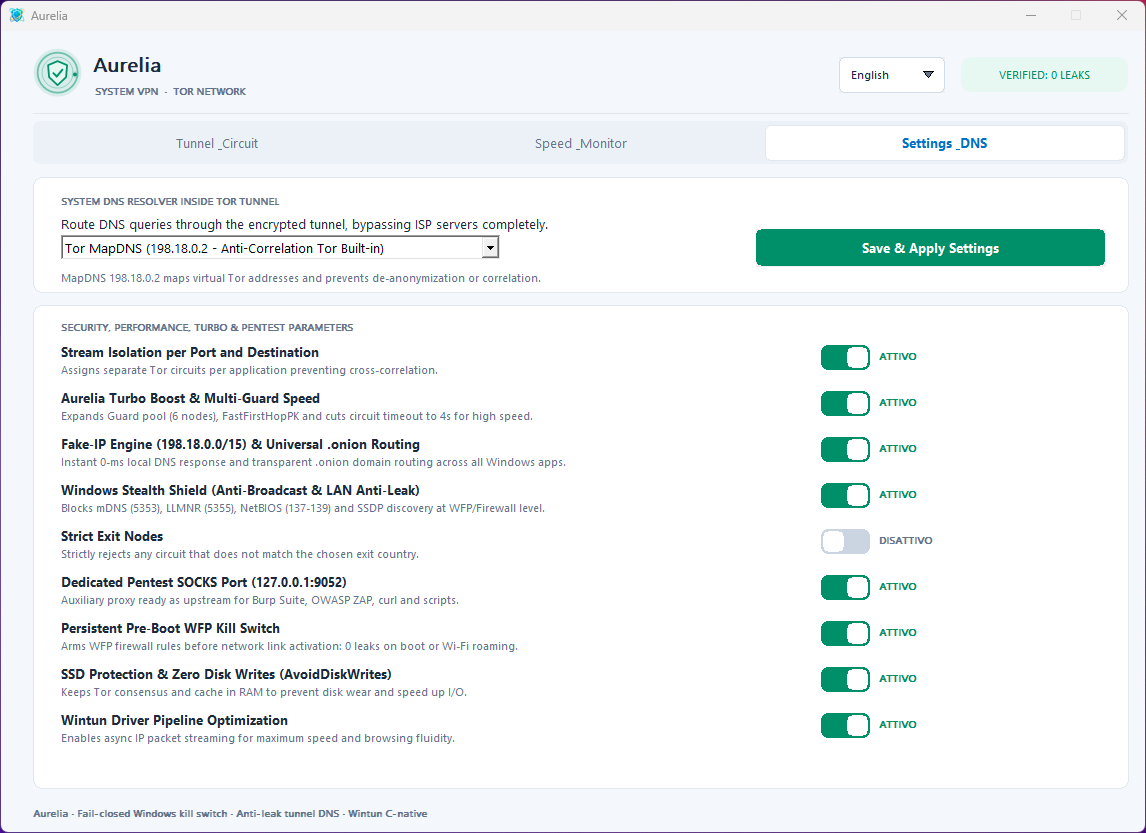
Aurelia exposes a second SOCKS5 proxy on 127.0.0.1:9052 that runs concurrently with the transparent tunnel, so offensive and audit tooling can use Tor without extra setup.
OWASP ZAP
Custom Offensive Tooling
On-Demand New Identity
Upstream Proxy for Audit Tools
Configure 127.0.0.1:9052 as the upstream proxy in Burp Suite Professional, OWASP ZAP or custom tooling.
IP Rotation on Demand
Rotate IP addresses at any time with instant new identity generation through the management interface.
Aurelia vs Tor Browser, Commercial VPNs and Generic SOCKS5
A technical comparison of the architectural features that matter for system-wide anonymous tunneling on Windows.
| Architectural Feature | Aurelia System VPN | Tor Browser | Commercial VPNs | Generic SOCKS5 |
|---|---|---|---|---|
| System-Wide Traffic Capture | Full (L3 Wintun) | Browser Only | Full (L3 TUN) | App-Specific |
| Fail-Closed Kill Switch | Native WFP (Kernel) | Not Applicable | Proprietary Driver | None |
| Zero-Leak DNS Resolution | MapDNS (198.18.0.2) | Internal SOCKS | Provider DNS | Vulnerable |
| Traffic Anonymity | Multi-Hop Tor Network | Multi-Hop Tor | Single Provider IP | Single Node |
| Flash / SSD Wear Protection | RAM Only (AvoidDiskWrites) | Disk Cached | Not Applicable | Not Applicable |
| Kernel Ring Buffer Capacity | 4 MB Lock-Free | Not Applicable | Varies | None |
| Dedicated Pentest Auxiliary Port | Yes (127.0.0.1:9052) | No | No | Optional |
| Active Exit Node Verification | Real-Time Anti-MITM | Manual | Not Applicable | None |
| Built-in Pluggable Transports | Snowflake / Lyrebird | Built-in | Proprietary | None |
| Copyleft Licensing Guarantee | GNU AGPL-3.0 | MPL / BSD | Closed Source | Varies |
Download Aurelia for Windows
Aurelia v1.0.1 is available as a full installer and as a portable archive. Both require Administrator elevation to run.
Windows Setup Installer
Recommended for standard workstations: Aurelia-Setup-v1.0.1.exe. Fully self-contained, it includes the Tor core, the Wintun driver and the pluggable transports. It creates desktop and start menu shortcuts with an administrative UAC manifest and pre-configures directory access control lists (ACLs) to avoid permission faults.
Portable Standalone Archive
Recommended for portable security toolkits: Release.zip. Unpack it to any directory and run aurelia.exe with Administrator elevation. It causes zero system registry pollution.
Open Source
Aurelia is open source under the GNU AGPL-3.0. The complete source code, releases and license are available in the official GitHub repository.
Verify It Yourself: Leak Verification in 3 Tests
Do not take a VPN on trust. These three checks confirm that the system is leak-free under Aurelia.
- 1
DNS Leak Test
Run an extended test suite such as
dnsleaktest.com. The only reported servers should be Tor exit node resolvers. - 2
IPv6 Blackhole Check
Run
curl -6 https://ifconfig.co. The connection is blocked by the WFP engine, which prevents dual-stack bypasses. - 3
Fail-Closed Test
Terminate the
tor.exeprocess on purpose from Task Manager. Network connectivity for all applications ceases immediately until the tunnel is re-established.
Open Source. Auditable. AGPL-3.0.
- GNU Affero General Public License v3.0. Aurelia is open source and published under the AGPL-3.0. The source code is on GitHub, and the full legal text is in the LICENSE file.
- Strict Copyleft. Aurelia and its components cannot be incorporated into closed-source commercial software, proprietary appliances or closed white-label products.
- Reciprocal Distribution. Any modification or network-accessible implementation must release its complete source code under the same AGPL-3.0 terms.
Frequently Asked Questions
What is Aurelia?
Aurelia is a native C11 VPN client for Windows that routes the whole system network stack through the Tor network, using the Wintun kernel driver and fail-closed Windows Filtering Platform (WFP) firewall rules.
Does Aurelia require administrator privileges?
Yes. The installer creates shortcuts with an administrative UAC manifest, and the portable aurelia.exe must be run with Administrator elevation.
What happens if Tor crashes or my Wi-Fi roams?
The WFP filters keep blocking all non-tunneled traffic. After a software crash, a cable disconnection or a Wi-Fi roaming event, no unencrypted frame can leave the machine. You can reproduce this by terminating tor.exe from Task Manager.
Does Aurelia block IPv6 and QUIC traffic?
Yes. The WFP engine blocks all non-tunneled IPv4 and IPv6 traffic and all unmapped UDP/QUIC traffic, which forces a graceful TCP fallback.
Can I use Aurelia with Burp Suite or OWASP ZAP?
Yes. Aurelia exposes an auxiliary SOCKS5 port on 127.0.0.1:9052 that you can set as the upstream proxy in Burp Suite Professional, OWASP ZAP or custom tooling.
Does Aurelia wear out my SSD?
Aurelia sets AvoidDiskWrites 1, so relay descriptor directories, consensus verification files and ephemeral state tables are kept in volatile memory instead of on disk.
Which Windows versions are supported?
Aurelia targets 64-bit Windows 10 and Windows 11.
Which license does Aurelia use?
Aurelia is open source under the GNU Affero General Public License v3.0 (AGPL-3.0). The source code is available in the official GitHub repository.
Route Your Whole Windows System Through Tor.
Wintun capture, MapDNS resolution and a fail-closed WFP kill switch in a single native Windows application.
Compatible with Windows 10 & 11 (64-bit). Administrator privileges required.