
Browser Cleaner
Initializing Secure Environment...

Total Privacy &
PC Speed

Your digital footprint is deeper than you think. Permanently erase all traces of your online and offline activity, boost performance, and secure your digital life with one click.
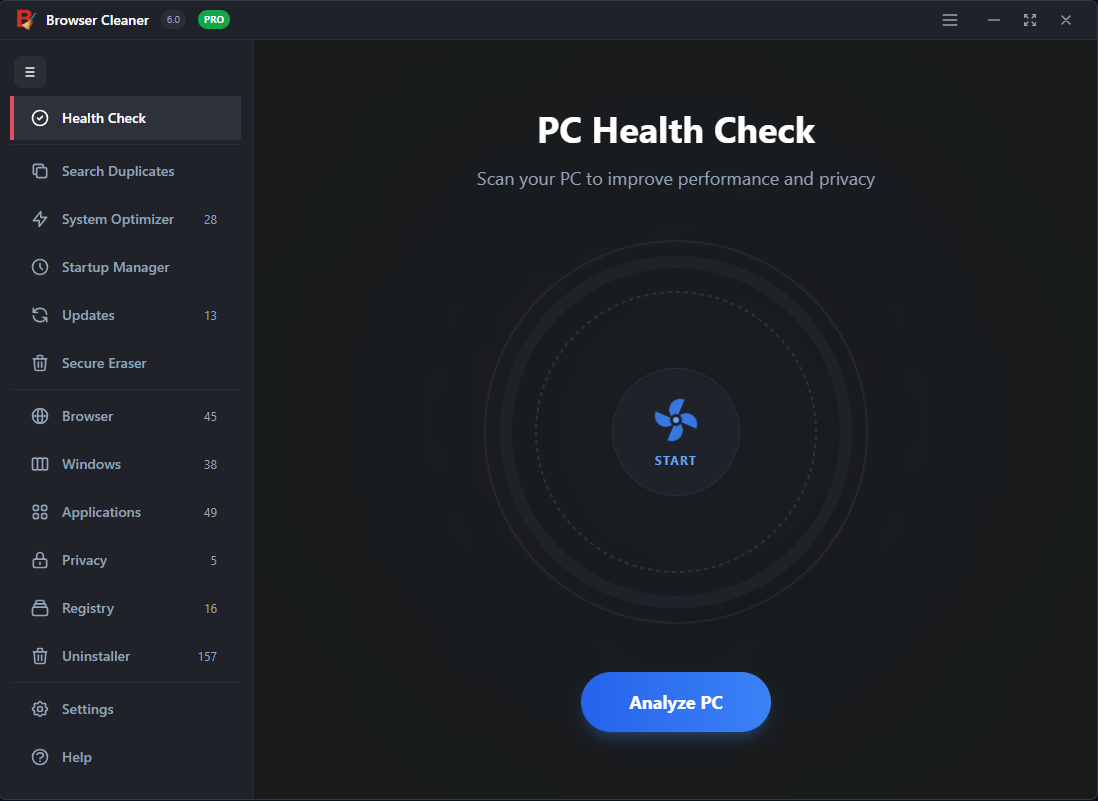
Compatible with Windows 11, 10, 8, 7
Browser Cleaner Dashboard
Privacy Protected
Speed Boosted

Professional Grade Cleaning

The award-winning solution trusted by professionals to keep systems clean, fast, and secure.

Erase Online Traces

Permanently delete browsing history, search queries, cookies, cache, and saved passwords from Chrome, Firefox, Edge, Brave, and more.

Boost Performance

Remove gigabytes of junk files. Optimize the Windows Registry and free up disk space to restore your PC to peak performance.

DoD Secure Deletion

Uses the US Department of Defense (DoD 5220.22-M) standard to overwrite data, ensuring deleted files are 100% unrecoverable.

Your Digital Footprint is
Deeper Than You Think

Every website you visit, every search you type, and every file you download is recorded in hidden system folders. This data not only slows down your PC but exposes your private life.

Cleans 170+ Third-Party Apps
Removes Tracking Cookies
Deletes Windows Activity Logs
Digital Footprint Analysis

Wipe Free Space &
Total File Destruction

When you simply "delete" a file, it stays on your hard drive. Browser Cleaner includes a powerful "Wipe Free Space" tool that overwrites empty disk space, ensuring that previously deleted files can never be recovered.
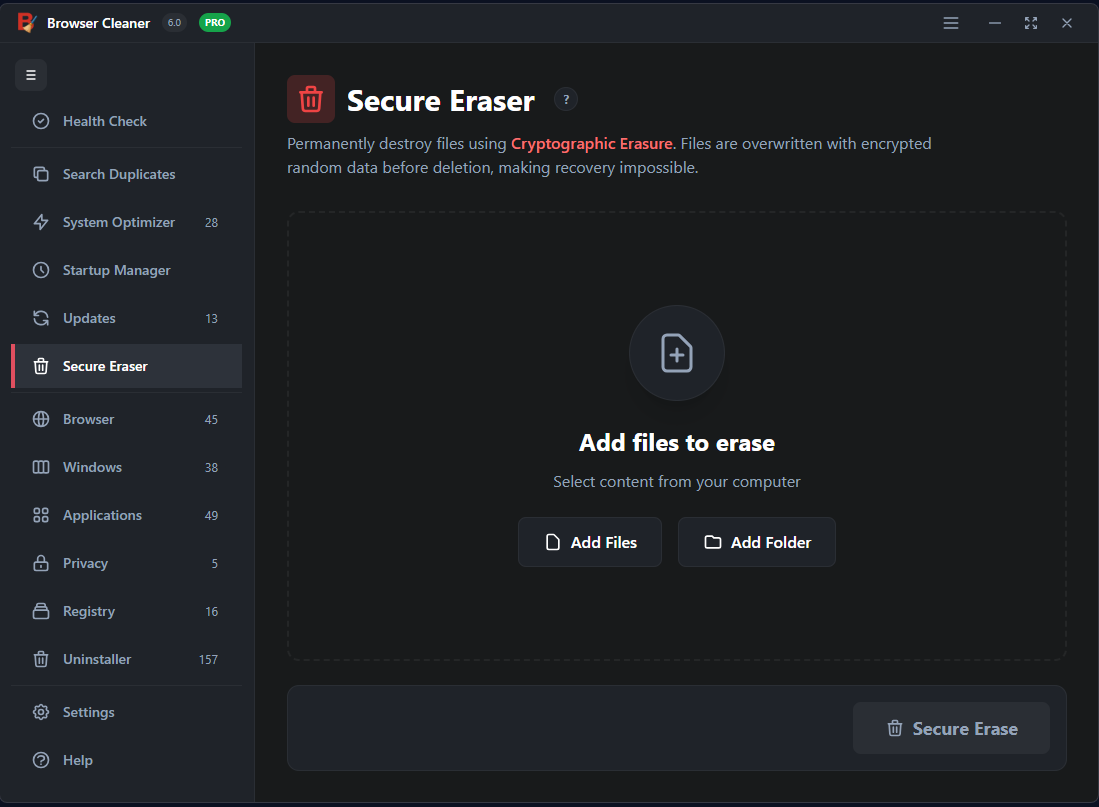
Military-Grade Algorithms
Prevent Identity Theft
Securely Sell or Donate Your PC
Secure Wipe Feature

Frequently Asked Questions

Common questions about Browser Cleaner and digital privacy.

Does Browser Cleaner support Brave and Opera?

Yes, Browser Cleaner supports all major browsers including Google Chrome, Mozilla Firefox, Microsoft Edge, Opera, Brave, Safari, and Internet Explorer.

Is the data deletion really permanent?

Absolutely. By using the DoD 5220.22-M sanitization standard, we overwrite the data multiple times. This makes it impossible for data recovery software or hardware to retrieve the original files.

Will this speed up my computer?

Yes. Browsers and Windows accumulate thousands of temporary files, cache, and logs over time. Removing these frees up disk space and reduces system clutter, leading to faster boot times and smoother performance.