
See every connection your PC makes. Then decide what to block.
Spectra watches the network of your Windows computer program by program, shows where your data goes and from which country, and lets you block a program or an address with one click. It also scans your local network for weak devices, such as TVs, cameras and routers.
Control your network in 3 steps
Spectra does not drown you in numbers. Each view answers one question: which program is talking, to whom, and how much.
- 1
Watch what connects
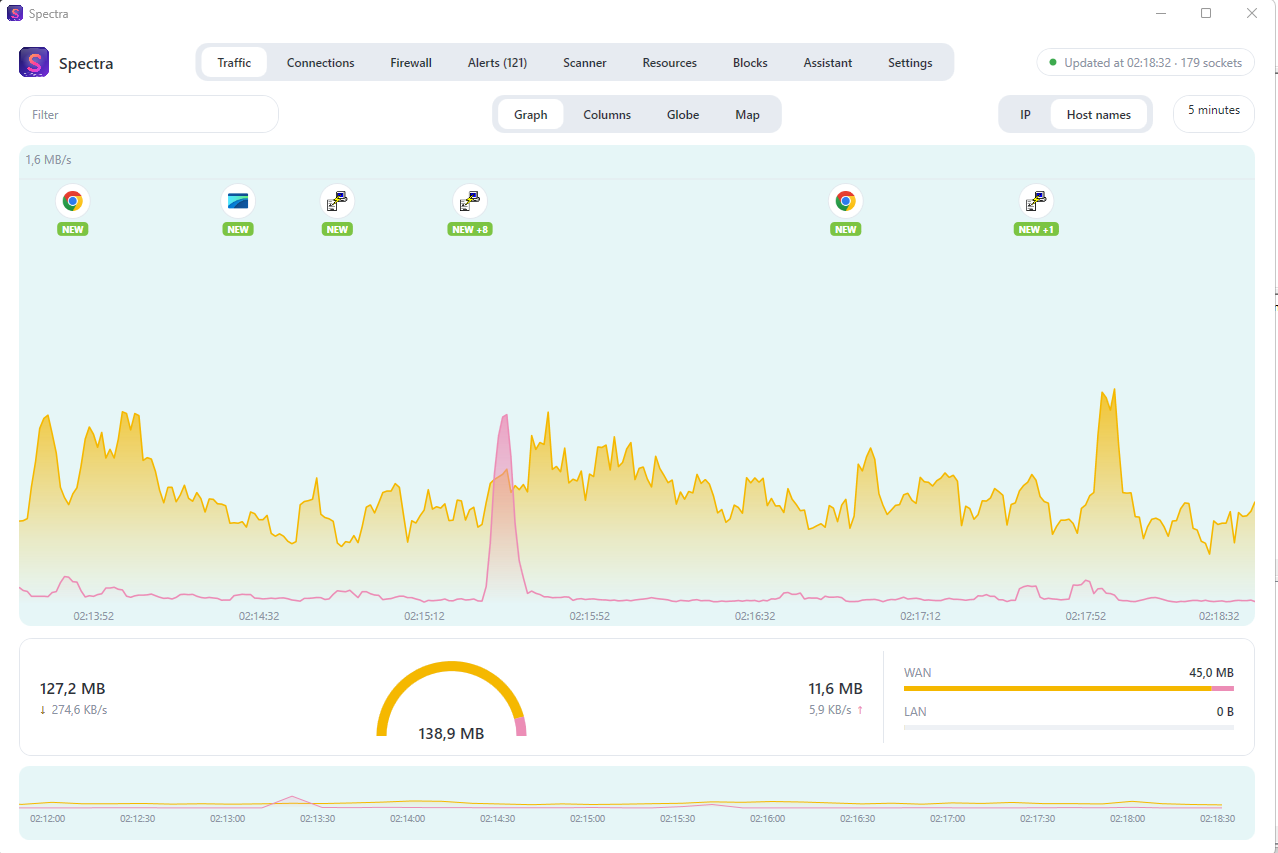
Open Spectra and see live traffic by application, remote host, service and country. A program that connects for the first time appears on the timeline with a NEW badge.
- 2
Inspect the suspicious ones
The connections tab lists every socket with the program that owns it, its path, its remote address and its state. Nothing is hidden behind a summary.
- 3
Block what you do not trust
Block a program, an address, a range or a domain. The rules go to the Windows firewall engine, so they keep working even when Spectra is closed.
See the traffic move, minute by minute
The graph draws download and upload as two curves over time. The timeline marks the exact minute a new program started talking to the network.
Four columns, four questions
Applications, remote hosts, traffic types and countries, sorted by bytes. Each row carries a bar, so the biggest talker stands out without reading a single number.
Globe and world map
The same connections on a 3D globe and on a flat map with your public address and the direction of each flow. Amber is download, pink is upload.
Alerts and port-scan detection
Spectra warns you when something scans your PC, so you notice an attempt instead of discovering it later.
A firewall you can actually read
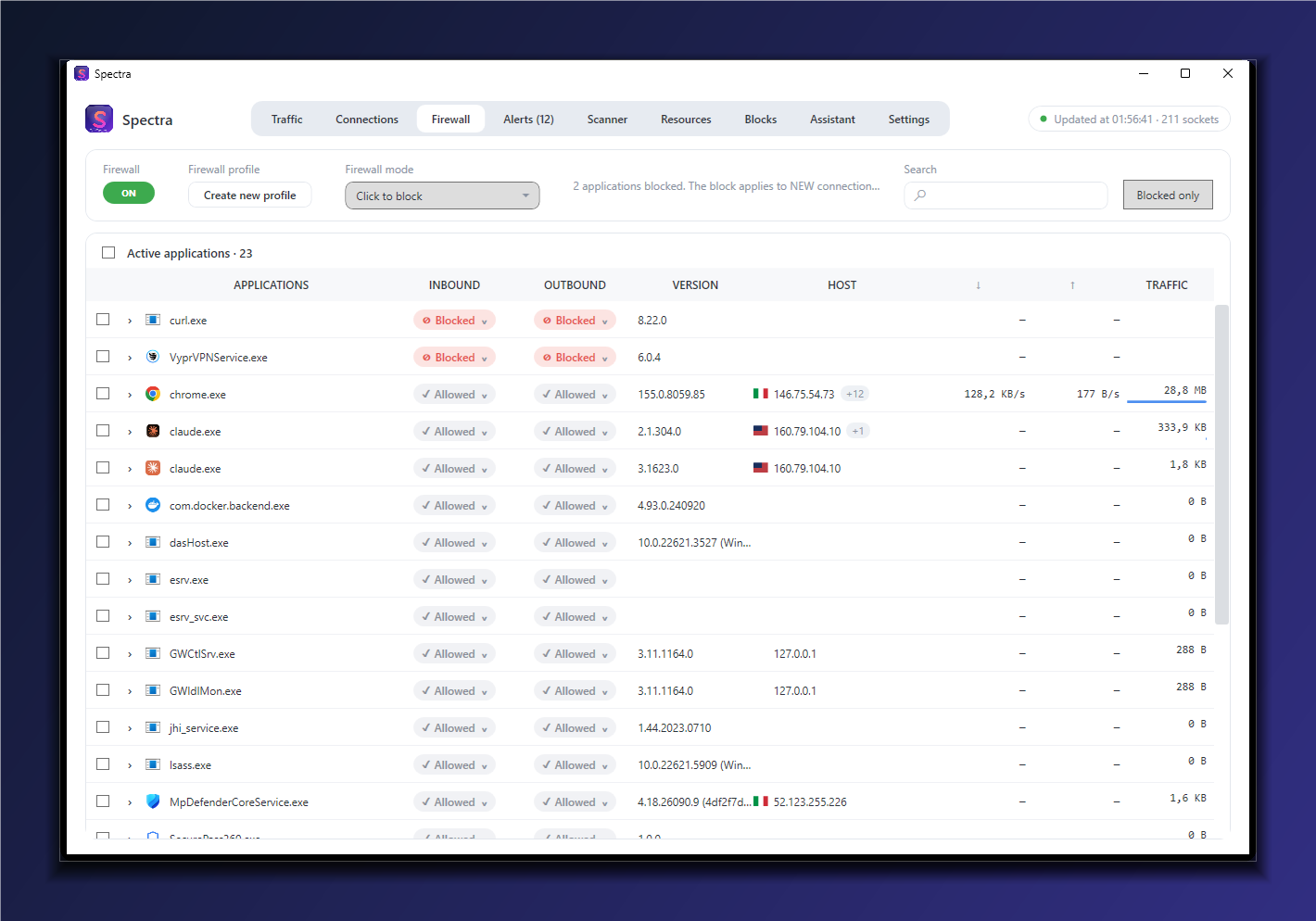
For each application you see what it may receive and what it may send. Blocking becomes a decision you understand, not a guess.
Both directions, for every program
Separate inbound and outbound rules for each application. Click to block, and the rule is saved and applied again at the next start.
Blocks by address, range and domain
Stop a single IP, a whole range or an entire domain, even when you do not know which program is behind it.
Network security options
TCP/IP stack hardening, anti-spoofing, risky ports blocked towards the Internet and management from the Internet refused.
System processes are protected
Spectra will not block essential Windows processes by mistake, so a wrong click cannot break your PC.
Audit the devices on your local network
Your PC is not the only door into your network. Spectra finds the devices around it and detects vulnerabilities automatically, so you see weak points before someone else does.
Every device, identified
The scanner lists each device and classifies it: router, computer, printer or device with open services, with its name, manufacturer and open services.
Vulnerabilities found for you
The network audit module analyzes the devices it finds and reports the weaknesses it detects, without asking you to configure each device by hand.
Act from the same window
Findings and live traffic live in one tool, so you can move from a weak device to the connections around it and decide what to block.
Your data stays on your computer.
- Free version.Everything runs locally. Spectra does not send your traffic, your programs or your addresses anywhere.
- Pro assistant.When you ask a question, the question and a summary of the session go to the MZGuard licence server, which forwards them to the AI model. The server keeps the licence record and a monthly counter, not the conversation.
- Licence.Activation sends the licence key and an identifier of the computer. The licence renews in the background while the computer is online.
Free, or Pro for one payment
The free version is a complete monitor. Pro adds the parts that act on the network and the parts that explain it. No subscription: you pay once for each computer.
| Spectra Free | Spectra Pro | |
|---|---|---|
| Live traffic | By application, host, service and country | Included |
| Graph, globe and map | Yes | Yes |
| Connections with process | Yes | Yes |
| Alerts and port scans | Yes | Yes |
| Local network scanner | Yes | Yes |
| Firewall per application | No | Inbound and outbound |
| Blocks by address, range, domain | No | Yes |
| Activity log | No | Daily files |
| AI assistant on your data | No | Up to 300 questions a month |
| Price | USD 0 | USD 19.59, one payment per computer |
Frequently asked questions
Is Spectra free?
Yes. The free version monitors every connection live, with alerts, port-scan detection, the local network scanner and the resources view. Pro adds the firewall, the activity log and the AI assistant.
What does the local network audit check?
It finds the devices on your network, such as TVs, cameras and routers, and analyzes them to detect vulnerabilities automatically.
Does Spectra send my data anywhere?
The free version works entirely on your computer. The Pro assistant sends your question and a summary of the session to the MZGuard licence server, which forwards it to the AI model. The server does not store the conversation.
Does Spectra need administrator rights?
Yes. The byte counters and the firewall need them, so Spectra asks for them when it starts.
How many computers does a Pro licence cover?
One computer. The key is bound to the computer where it is activated. If you need to move it, contact support.
What happens if the computer stays offline?
Pro keeps working offline for about two months after the last renewal. After that Spectra returns to the free version until the computer is back online.
Which Windows versions are supported?
Windows 10 and Windows 11, 64-bit. Spectra is self-contained and does not need a separate .NET installation.
See what your computer is saying.
Download Spectra free, and unlock the firewall when you need it.
Windows 10 or 11, 64-bit, administrator rights required.