
A new security investigation reveals that dozens of Chrome extensions, with over 6 million active installations, are secretly embedding tracking code. Here’s the full breakdown of what’s happening and how you can stay safe.
1. Hidden but Widely Installed: The Scale of the Threat
Security researcher John Tuckner from Secure Annex uncovered 57 Chrome extensions with a combined 6 million installs that never appear in Chrome Web Store searches or Google indexing.
Instead, these extensions are distributed only via direct installation links, bypassing normal discovery. On the surface, they promise features like ad-blocking, privacy protection, or search enhancements — but in reality, they contain suspicious behavior designed to track users in stealth.
2. Excessive Permissions and Obfuscated Code
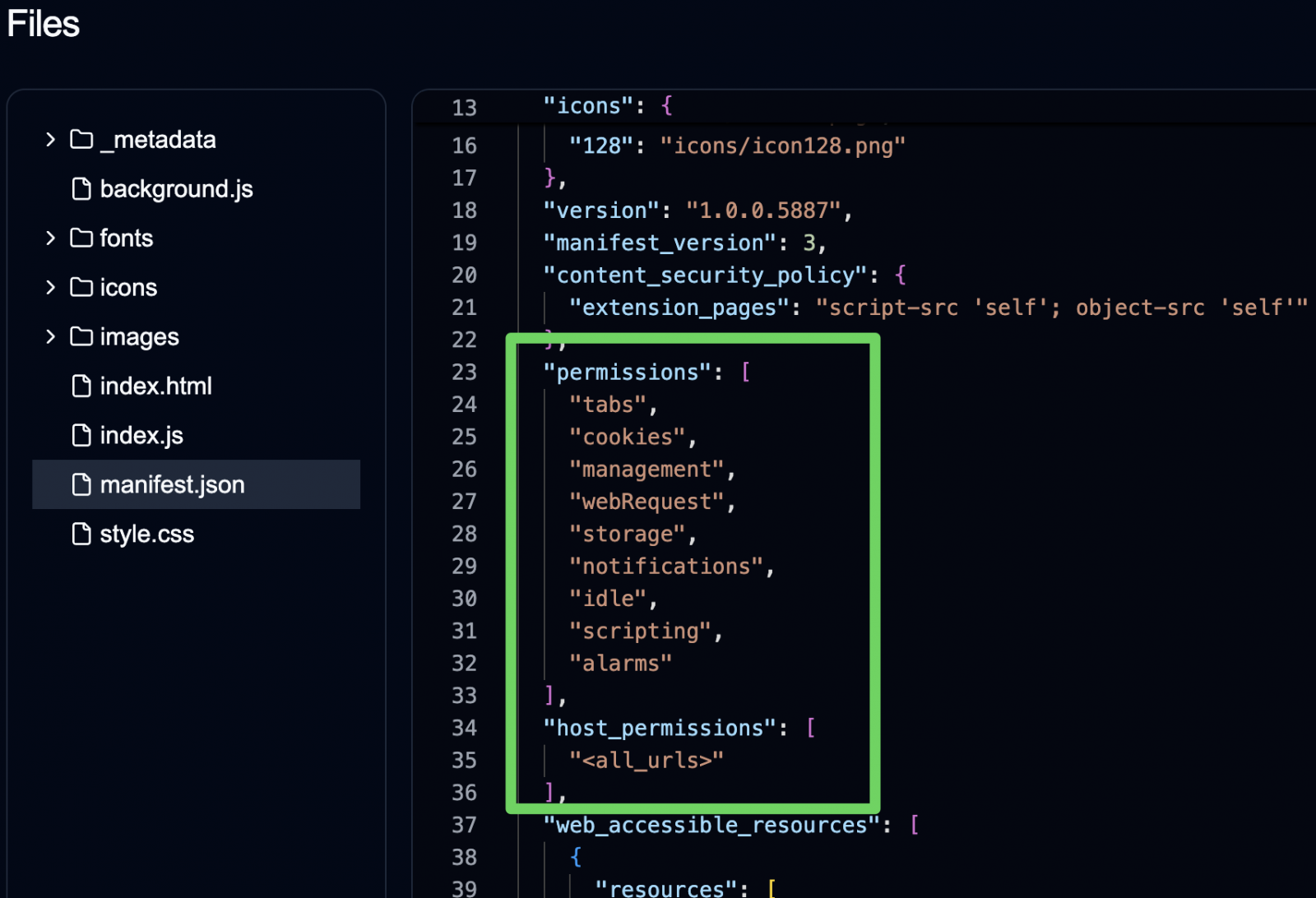
Once installed, these extensions request dangerous, overreaching permissions, enabling them to:
-
Access and read cookies (including authentication-related data)
-
Monitor browsing activity across all sites
-
Alter search providers and results
-
Inject remote scripts and iframes into websites
-
Communicate with hidden APIs for external tracking
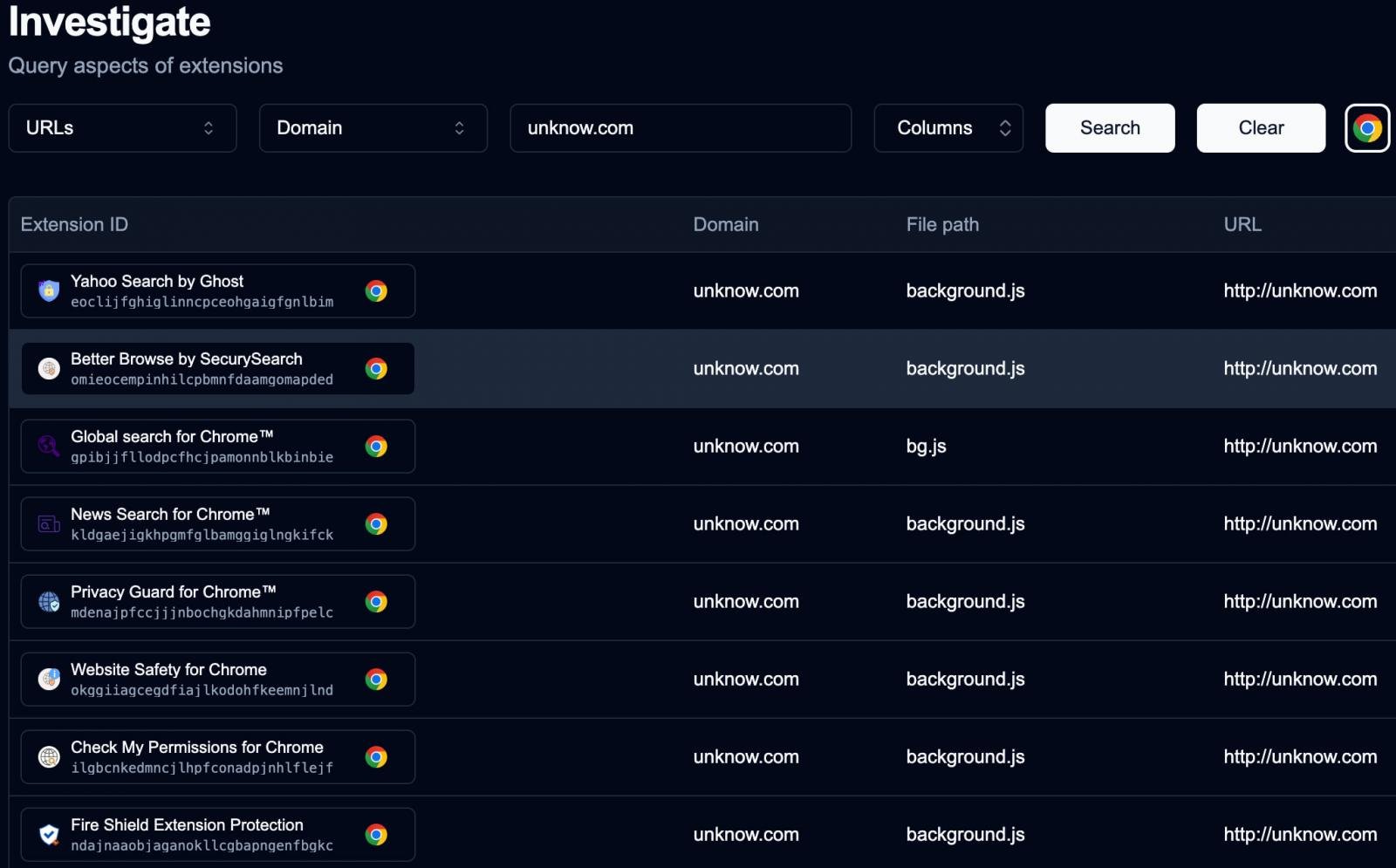
Researchers also found heavily obfuscated JavaScript code and repeated communication with domains such as unknow.com, linked to the entire network of malicious extensions.
3. How the Campaign Works: Malvertising & Phishing
Many users install these extensions after encountering popups, malicious ads, or fake promotional pages that push direct Chrome Web Store links.
Because they are not listed in public searches, they can easily evade automated inspections. Ironically, some even appeared as “Featured” in the Chrome Web Store, tricking users into believing they were trustworthy.
4. Not Just Chrome: Similar Threats on Edge
Investigations later uncovered 18 additional malicious extensions on both Google Chrome and Microsoft Edge, downloaded by more than 2.3 million users.
These follow the “sleeper agent” model — they appear safe at first but later receive silent updates that enable spying, redirect ads, or inject tracking code.
This illustrates a dangerous trend: extensions that start legitimate and turn malicious over time.
5. 7 Essential Security Tips to Protect Yourself
| Tip | Action |
|---|---|
| 1. Remove suspicious extensions | Uninstall anything you don’t fully trust. |
| 2. Check permissions carefully | Avoid extensions asking for “read and change all data” or cookie access. |
| 3. Stick to reputable developers | Only install tools from verified publishers with long track records. |
| 4. Run an antivirus scan | Clean your system if you’ve installed any shady add-ons. |
| 5. Clear or block third-party cookies | Prevent unnecessary data collection. |
| 6. Update passwords | Change credentials after exposure to suspicious extensions. |
| 7. Use reliable privacy tools | Consider trusted solutions like uBlock Origin or Privacy Badger. |
6. Why This Matters: Privacy & Trust in Browser Ecosystems
This incident highlights a fundamental problem: even official web stores can’t guarantee full safety.
Attackers increasingly create lookalike utilities (e.g., VPNs, SEO tools, ad-blockers) to lure victims, and then push hidden code that compromises browsing privacy.
According to multiple reports, more than 100 fake or trojanized extensions have been circulating in recent years, collectively impacting millions of users worldwide.
7. Final Thoughts: Vigilance Is Your Best Defense
-
Direct-install links should always be a red flag.
-
Extensions can turn malicious later via updates — so ongoing monitoring matters.
-
High ratings and “Featured” labels aren’t guarantees of safety.
Ultimately, the best approach is to limit browser extensions to the absolute essentials, regularly audit what you’ve installed, and monitor permission changes closely.